Model Context Protocol (MCP) Explained: A Business Guide to AI Tool Connections
Understand what MCP is, where it fits in an AI system, what it does not solve, and how to connect copilots to business tools without creating a security mess.
Written by Abhay Rana. Updated September 13, 2026. Practical guidance and illustrative examples.
An AI assistant becomes much more useful when it can access the systems where work actually happens: Google Drive, a CRM, a database, a ticketing platform, or an internal API.
The Model Context Protocol, usually called MCP, is an open standard for connecting AI applications to those tools and data sources through a consistent interface.
It is often described as "USB-C for AI." The analogy is useful, but incomplete. MCP standardizes the connection. It does not automatically make the connected system accurate, secure, or ready for production.
Why MCP Matters
Before MCP, every AI application needed custom integration code for every tool. A team might build one connector for a CRM, another for a document store, and another for a database. Each connector had different conventions for authentication, tool descriptions, errors, and responses.
MCP creates a shared way for:
- An AI application to discover available capabilities
- A server to expose tools, resources, and reusable prompts
- The application to call a tool with structured arguments
- The server to return a structured result
Anthropic introduced MCP in November 2024 as an open protocol for connecting AI assistants to data systems. The protocol is now maintained through an open-source project with public specifications and SDKs.
The Three Parts of an MCP System
MCP host
The host is the AI application the user interacts with. It manages the model, user experience, permissions, and one or more MCP connections.
MCP client
The client lives inside the host and maintains a connection to a specific MCP server. It translates between the host and the protocol.
MCP server
The server exposes approved capabilities from a tool or data source. A server could provide read access to a knowledge base, a tool for creating a support ticket, or a resource containing a project brief.
The official MCP architecture documentation describes this host-client-server model and the protocol's message-based communication.
Tools, Resources, and Prompts
MCP servers can expose three broad kinds of capability.
| Capability | What it represents | Business example |
|---|---|---|
| Tools | Actions the model can request | Create a CRM task, search tickets, query inventory |
| Resources | Context the application can read | Policy documents, customer records, product catalog |
| Prompts | Reusable interaction templates | Prepare an account brief, review a contract checklist |
This separation helps teams reason about what the AI can read, what it can do, and what workflows should be reusable.
MCP vs APIs, RAG, and Function Calling
MCP does not replace every part of an AI architecture.
| Technology | Main job | How MCP relates |
|---|---|---|
| API | Exposes application data or actions | An MCP server often wraps one or more APIs |
| Function calling | Lets a model request a structured tool call | MCP can provide standardized tools that use function calling underneath |
| RAG | Retrieves relevant knowledge for an answer | An MCP server can expose document search or retrieval resources |
| Workflow automation | Coordinates known steps across systems | A workflow can call MCP tools, or an MCP tool can trigger a workflow |
| Agent | Chooses actions to achieve a goal | An agent can discover and use tools exposed through MCP |
Think of MCP as the connector layer, not the entire system.
A Concrete Example
Imagine an internal operations copilot that helps answer order questions.
Without MCP, the application might contain custom code for:
- Customer lookup
- Order search
- Shipping status
- Refund policy retrieval
- Support ticket creation
With MCP, approved servers can expose those capabilities using consistent schemas. The copilot discovers them and requests the correct tool when needed.
A safe interaction could be:
- 1The user asks why an order is delayed.
- 2The copilot requests the order-search tool.
- 3The server checks the user's authorization.
- 4The server returns the order and shipping status.
- 5The copilot retrieves the relevant delay policy.
- 6The copilot drafts an explanation.
- 7If a ticket is needed, the user approves creation before the write action runs.
MCP simplifies the connection, while the application still owns identity, approval, validation, and user experience.
Where MCP Creates Real Value
Faster integration reuse
One well-designed MCP server can support multiple compatible AI applications instead of requiring a separate integration for each application.
Better tool discovery
Tools describe their names, inputs, and purpose in a structured way. This helps the host present and use capabilities consistently.
Cleaner separation of concerns
The AI application can focus on reasoning and interaction. The MCP server can focus on authentication, domain rules, and access to the underlying system.
Easier governance
A centralized server can enforce logging, rate limits, tenant isolation, and permission checks at the boundary to a business system.
What MCP Does Not Solve
MCP is a protocol. It does not guarantee:
- Correct tool selection
- Accurate model reasoning
- Safe tool descriptions
- Secure authentication
- Appropriate user permissions
- Protection from prompt injection
- Valid business logic
- Reliable third-party servers
If an agent can call a dangerous tool, a standardized connection only makes that dangerous tool easier to call.
Security Questions to Ask
The MCP security best-practices documentation discusses threats including confused-deputy problems, token handling, session hijacking, and overly broad access.
Before adding an MCP server, ask:
- 1Who operates and maintains this server?
- 2What data can it read?
- 3What actions can it perform?
- 4Does it request more access than the task requires?
- 5Are credentials stored and transmitted safely?
- 6Are actions logged with user and tenant context?
- 7Can write actions require confirmation?
- 8Can responses contain untrusted instructions?
- 9How are errors, timeouts, and rate limits handled?
- 10Can access be revoked quickly?
Build, Buy, or Wrap an Existing API?
| Option | Best when | Main trade-off |
|---|---|---|
| Use a trusted existing MCP server | The integration is common and its permissions are acceptable | You depend on another maintainer's security and update process |
| Build an internal MCP server | The data is sensitive or business rules are unique | More engineering and maintenance responsibility |
| Wrap an existing API | You already have a stable internal API | You still need careful tool design, auth, and observability |
| Skip MCP and call the API directly | Only one application needs a narrow integration | Less reuse, but sometimes simpler |
MCP is valuable when standardization and reuse outweigh the added protocol layer.
A Production-Ready MCP Checklist
Design
- Expose small, clearly named tools
- Keep read and write capabilities separate
- Return concise structured results
- Define expected errors
- Avoid tools with vague names such as "manage account"
Permissions
- Use least-privilege scopes
- Pass user identity and tenant context
- Recheck authorization on every sensitive request
- Require approval for irreversible or high-impact actions
Reliability
- Add timeouts and retry rules
- Make repeatable writes idempotent where possible
- Validate every argument at the server boundary
- Limit output size
- Track tool success and failure rates
Observability
- Log who requested each action
- Record which tool was selected
- Store sanitized inputs and outputs when policy allows
- Trace failures across host, client, server, and downstream API
When You Should Use MCP
MCP is a strong fit when:
- Several AI applications need the same business capability
- You want a consistent connector layer
- An agent needs to discover multiple tools
- You can enforce strong permissions at the server
- You expect integrations to evolve independently from the AI interface
You may not need MCP when a single application calls one narrow API and the direct integration is already simple, secure, and maintainable.
The Sensible Adoption Path
Start with one read-only use case.
For example, let an internal copilot search approved project documentation. Measure answer quality, access control, latency, and tool failures. Then add a low-risk write action with explicit approval, such as creating a draft task.
Do not begin by connecting a general-purpose agent to every system in the company.
Sources and Further Reading
- Anthropic: Introducing the Model Context Protocol
- MCP Documentation: Architecture
- MCP Specification: Security Best Practices
- OpenAI for Developers: Connectors and MCP
Next Step
List the systems your copilot needs to read from and write to. For each one, record the required permissions, risky actions, and approval rules. That map will tell you whether MCP improves the architecture or simply adds another layer.
Explore AI copilot development or plan an integration.
A Bounded CRM Use Case
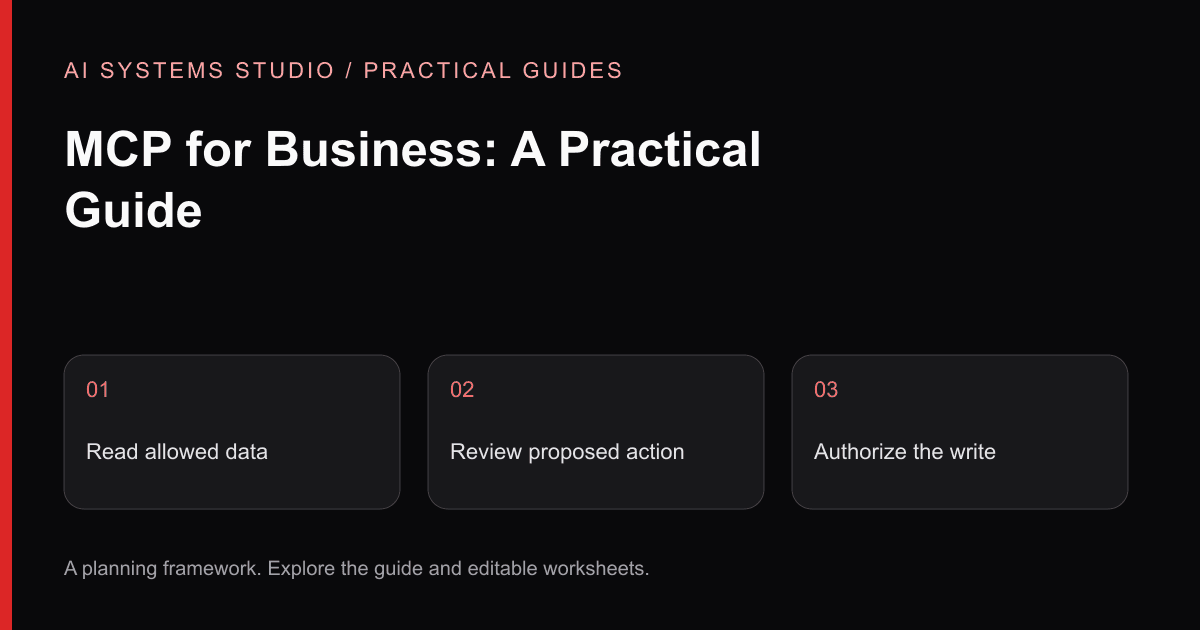
Consider a synthetic account-review workflow. The user asks for an account summary. A read tool retrieves only records that user may access. The assistant proposes a note. A separate approval screen shows the exact account and proposed text; only an approved candidate reaches a narrowly scoped write tool. Changing the candidate requires fresh approval. Deletion and account-ownership changes are outside this scope.
This separates three decisions: the model proposes a tool call, the server checks identity and policy, and a human approves a consequential write. The protocol does not replace those business rules.
| Option | Best starting condition | What to verify |
|---|---|---|
| Existing connector | Supported tools match the exact workflow | Owner, scopes, updates, logging and revocation |
| Small MCP wrapper | Several compatible clients need the same bounded tools | Per-user permissions, input validation and destination behavior |
| Direct API integration | One application has a fixed sequence | Whether another protocol adds useful reuse |
Do not build an MCP server just to rename one API call. Inventory the clients that will use it, the minimum tools they need, and the person who maintains each tool. A fixed workflow may be easier to operate with an ordinary authenticated API.
Download the tool-scope worksheet. The official MCP security guidance discusses why passing tokens through without the correct validation is unsafe. Use the permissions checklist to turn those concerns into testable access rules.
Related Articles
AI Agents vs Workflow Automation: What Should Your Business Build?
A practical decision guide for choosing between deterministic automation, AI-assisted workflows, and autonomous agents without overengineering the problem.
AI Agent Permissions Checklist: Roles, Approvals & Audit Logs
A practical security guide for teams connecting AI agents to company data and actions, covering prompt injection, least privilege, approvals, validation, and monitoring.
Private AI Knowledge Base: A Practical RAG Implementation Guide
How to scope sources, permissions, retrieval, citations, evaluation, and ownership before building an internal AI knowledge system.
Turn the guidance into a bounded plan
Start with a workflow, representative inputs, a named reviewer, and a measurable baseline. The assessment turns that context into an implementation recommendation.